Welcome to EPCOR Our site is customized by location. Please select the region of your service and we’ll remember your selection for next time.
Select location

Our site is customized by location. Please select the region of your service and we’ll remember your selection for next time.

Change a country
Country Flag Canada
Country Flag United States

Select a region for customized content and rates

Mouse hover over any region to see the map here
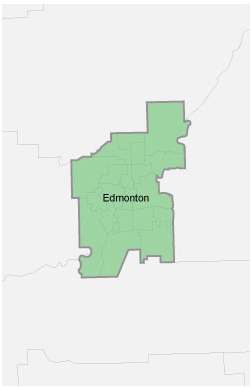
Edmonton
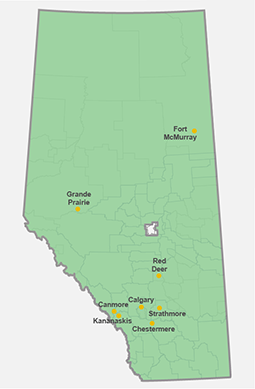
All Alberta locations except Edmonton
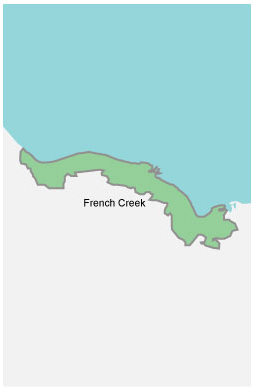
French Creek
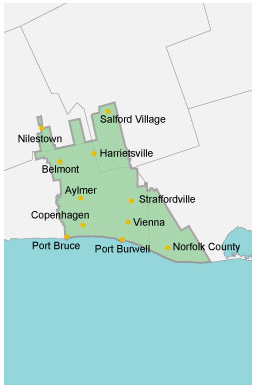
Aylmer and area
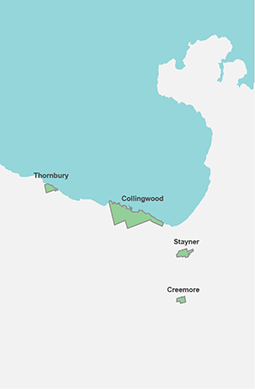
Collingwood and area
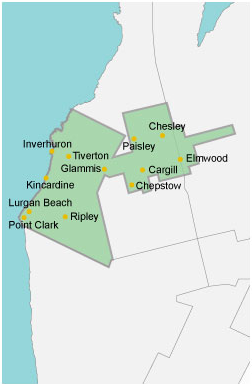
Kincardine and area
Select a state

Looks like you're in Canada

Looks like you're in the United States

Change country
Country Flag Canada
Country Flag United States

Select a region for customized content and rates

Mouse hover over any region to see the map here
Edmonton
All Alberta locations except Edmonton
French Creek
Aylmer and area
Collingwood and area
Kincardine and area

Select a region for customized content and rates

Select a region for customized content and rates

Choose your location
To view this page, set your location to:
Country Flag Country Flag
This page doesn’t match your location
To view this page, you must change your location to:
Country Flag Country Flag
Choose your location
To view this page, you must set your location to:
Country Flag Country Flag

How to read your meter

Knowing exactly how much energy you use in your home is the first step in being smart about the way you can manage the power and water you use and save money.

About your meters

Power and water meters measure your electricity and water consumption.

  • Power meters are located outside your home or business.
  • Water meters are located inside your home or business, and may have an external meter reading device on the interior or exterior of the property. 
  • If you have an external meter reading device, or touchpad, on the outside of your property, EPCOR will need to access your yard monthly to read the meter. 
  • If your meter has been replaced with an advanced meter, meter readings can be done remotely. Learn how advanced meters work.


Reading your water meter

The water you use is measured by the water meter in cubic meters (m3). 

Water meters have flow indicators on the meter face to show water usage. This can be used to troubleshoot possible leaks in your property. If the flow indicator is moving or you have a low flow indicator on the screen, and everything that uses water in your house is turned off, you have a leak somewhere.

Reading an 8-dial meter
  • Usage reported is rounded up to three decimal places (0.001 m³)
  • Flow indicator type depends on the meter model. A Neptune or Badger has a spinning dial and a Mueller has a digital display.
  • To read, start with the number on the left.
  • Record the odometer-style digits.
Reading a 6-dial meter
  • Usage reported is rounded up to one decimal place (0.1 m³)
  • Flow indicator is a small triangle in the centre of the meter face. 
  • Start with the number on the left.
  • Record the odometer style digits displayed on your water meter, including the decimal digit.
Reading a 9-dial meter
  • Usage reported is rounded up to three decimal places (0.001 m³)
  • Flow indicator is the top left number, which displays the water flow through the meter at a specific time.
  • Start with the number on the left.
  • Record the odometer style digits displayed on your water meter.

Reading your power meter

The electricity you use in your house is recorded and displayed by the power meter in kilowatt hours (kWh).

If you have an advanced meter, your usage will be displayed with the letters DEL in front of it. DEL stands for the amount of electricity delivered to your home or business.

Meters at sites with high energy use (usually commercial properties), have a multiplier indicated on the front of the meter. Your power consumption is measured by reading the meter and multiplying by this number.

Reading a Landis+Gyr advanced meter (100, 200, 400, 500, 650, 700, 750)
  • These meters cycle through six displays in about 35 seconds.
  • Record the six-digit number that follows DEL— this is your total electricity consumption in kilowatt hours (kWh). 
  • Display format may vary. Example: 888.888 kWh or 8888.88 kWh.
  • Peak demand is displayed after MXD (max demand to your location). Units may be in kilovolt amps or watts depending on the model.

Note: If you're a micro-generation customer, look for REC (received by the grid). The number after it is the total amount of electricity you provide back into the grid

Reading a GE 1-210 digital meter
  • This meter has two readings displayed.
  • Record the five-digit number on the top of your display (this is your total electricity consumption)

Note: The three-digit number on the bottom is the amount of electricity currently being used.

Reading an Itron digital meter
  • A digital meter has two displays — 88888 and your power reading.
  • The reading changes every six seconds.
  • Record the numbers shown after you see 88888.
Reading a 5-dial or 4-dial meter
  • Start with the dial on the left.
  • Record the number the needle points to.
  • If the needle falls between numbers, choose the lower number, except if the needle falls between zero and nine, then choose nine.

Submit your meter reading

Once you identify the type of meter you have, submit your reading.

This site uses cookies to provide a better user experience and for advertising purposes. By using our website, you accept our use of cookies. Visit our Privacy Policy for more details.